CREATE
Studio
The last plugin creation tool you’ll ever need.
A complete IDE made for audio plugins: write it, hear it as you go, debug and validate it, and keep every version. Start from a template or bring any C++ or Rust plugin project.
FREE WITH A FREQLAB ACCOUNTMACOS · INTEL AND APPLE SILICONWINDOWS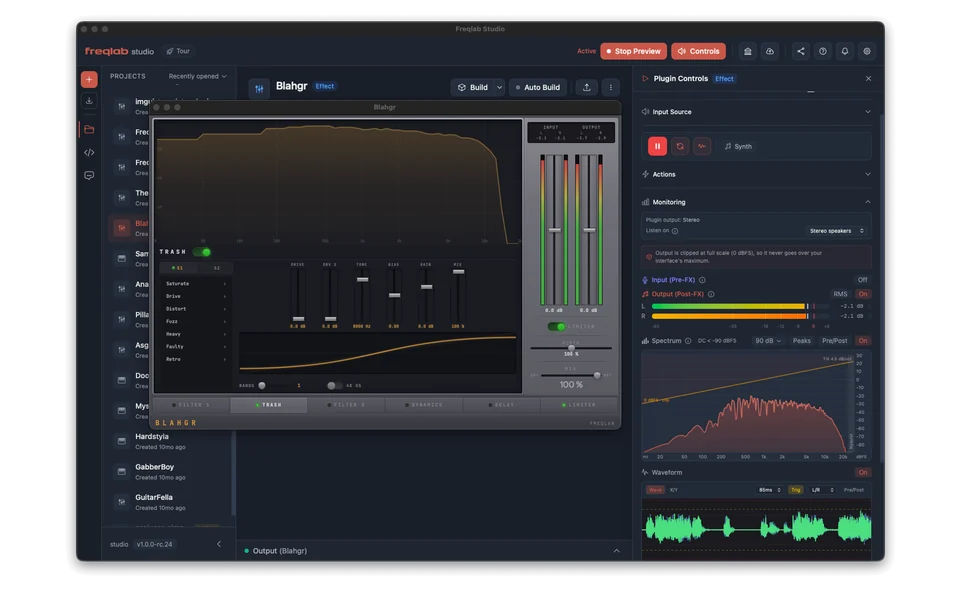
01 · HEAR IT
Hear every change.
HOT RELOAD
- Your plugin runs inside Studio and reloads after every build
- Crash protection: if the plugin falls over, Studio doesn’t
- Auto-build when you or the agent change code, with separate switches for each
- A/B compare, reset to defaults, latency-matched bypass
- An output limiter and volume control keep your ears safe
TEST IT WITH ANYTHING
- Demo clips, or your own WAV, MP3 or AAC files
- Sine, square, white and pink noise, impulse and sweep, with rhythmic gating
- Live input from your audio interface
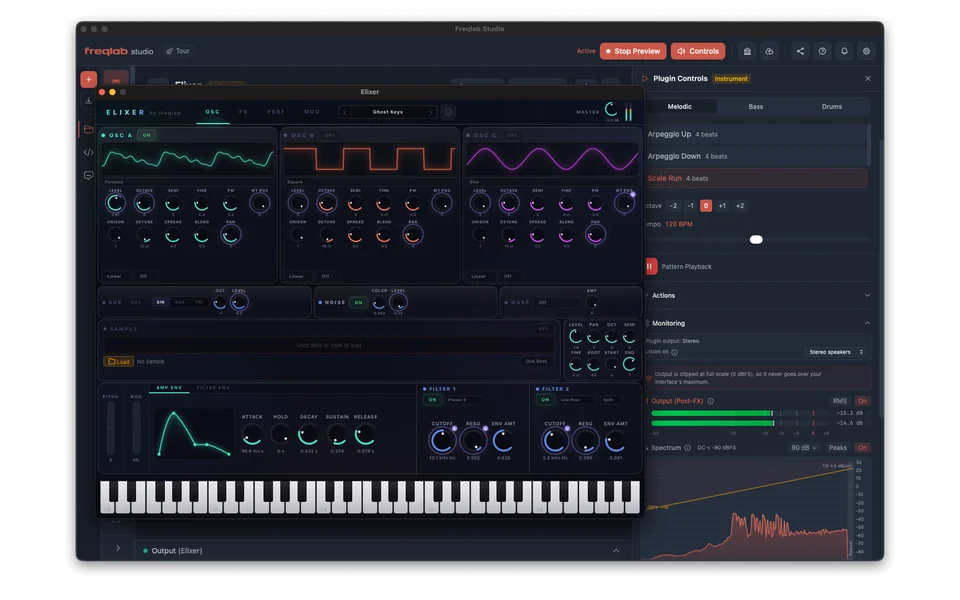
- Instruments: patterns with tempo, MIDI files, an on-screen piano or your keyboard
- Levels with peak hold, spectrum analyser, before and after waveforms
- Hear it in 3D on headphones
DEBUG AND VALIDATE
- Crash reports point to the file and line
- Probes show live values from inside your code
- Stereo field and phase, plugin CPU and dropouts, and a built-in profiler
- Save the last 10 seconds and replay the moment something went wrong
- Check against the Freqlab Standard (pluginval and clap-validator) on your computer
02 · WRITE IT
A real IDE.
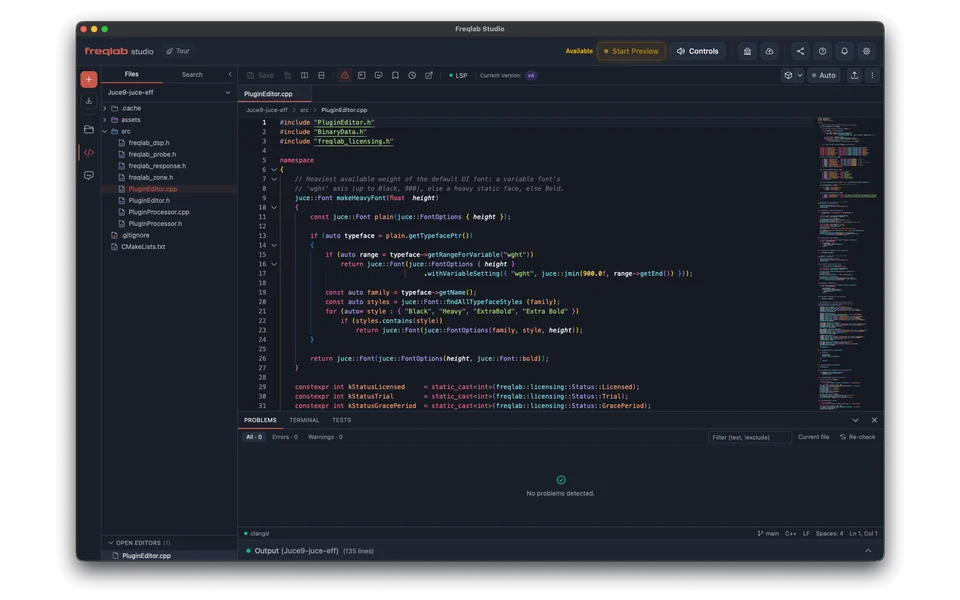
Not a VS Code fork. Studio is its own app, built around hearing your plugin. The editor at its heart is Monaco, the same one inside VS Code, so it already feels familiar: your shortcuts, your themes, even Vim mode.
- Pro code editor with built-in themes (or bring yours from VS Code, JetBrains, Xcode or TextMate), split panes, tabs, minimap and breadcrumbs
- Smart code help for Rust and C++: go to definition, rename across files, quick fixes, inline hints
- Search across files with regex and include or exclude filters
- Built-in terminals, several at once
- Command palette and fully rebindable shortcuts, with a Vim mode
- Your own editor still works: open the project in VS Code, Cursor, Windsurf, Zed, Sublime Text, Neovim or Xcode in one click
LEARN AS YOU GO
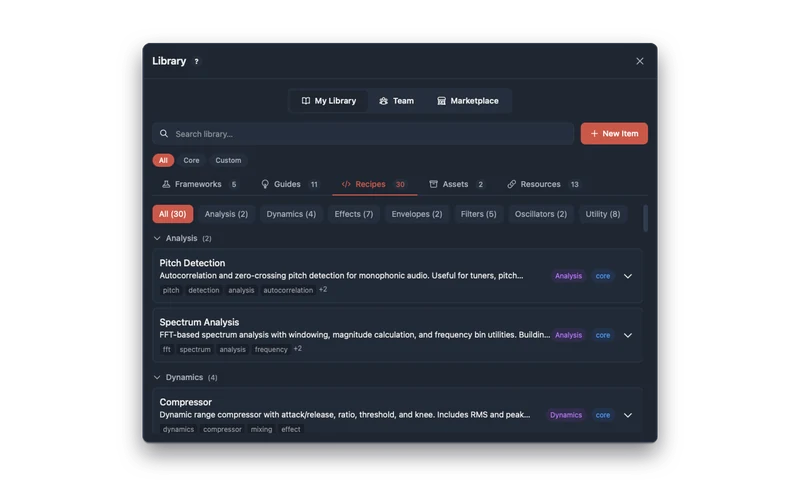
- Guides and DSP recipes: filters, dynamics, effects, oscillators, envelopes, analysis and more
- Design kits for knobs and sliders
- Write your own entries, with files and images
- Attach any of it to a chat
03 · AGENT
With an agent, or without.
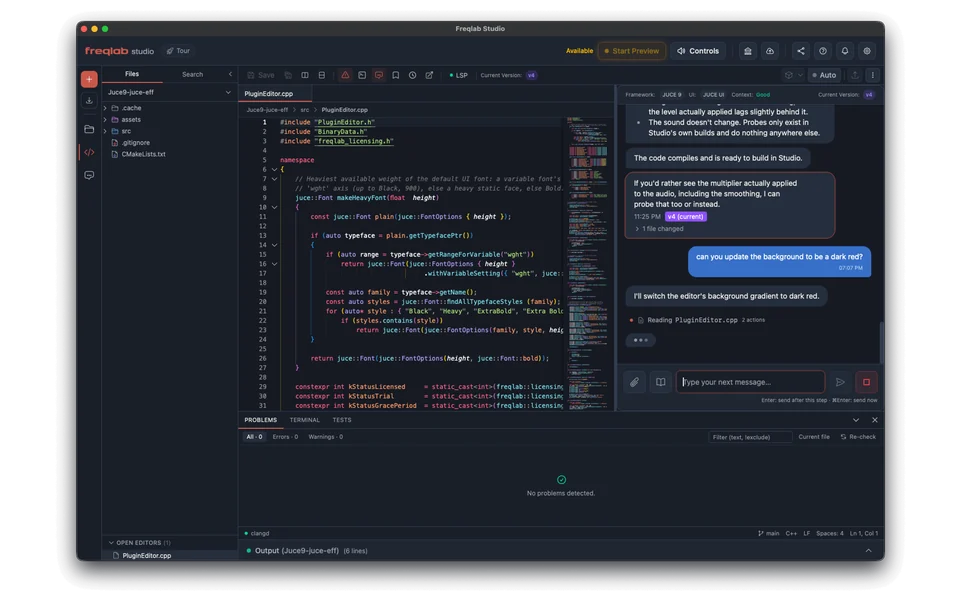
WITH AN AGENT
- Pick one: Claude Code, OpenAI Codex, Google Gemini, or OpenCode with its many providers
- Or run a model on your own machine with LM Studio, Ollama, vLLM or any OpenAI-compatible server
- Watch it work: every file it reads, command it runs and file it changes
- Fix It sends build errors straight to the agent
- Show it the plugin with a screenshot, or select code and ask, explain, refactor or write tests
- Set up inside the app, no terminal needed
WITHOUT ONE
- Nothing’s missing: the editor, smart code help, preview, versions, git and cloud builds all work with it off
- No AI account or API key needed to use Studio
- Your code stays put: nothing goes to an AI provider unless you set an agent up
- Skip it at setup and turn it on later, or never
04 · KEEP EVERYTHING
Never lose work.
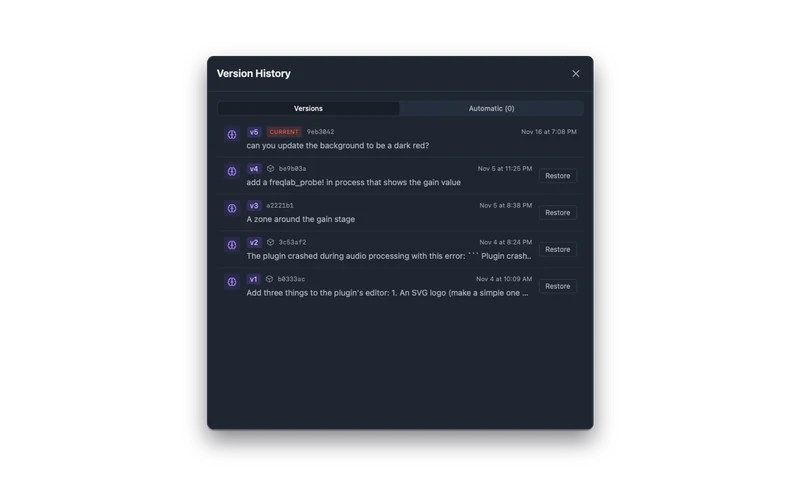
- Every agent change is a version, right in the chat: see what changed, restore it, undo the restore
- Name your own versions, plus automatic saves after a quiet spell
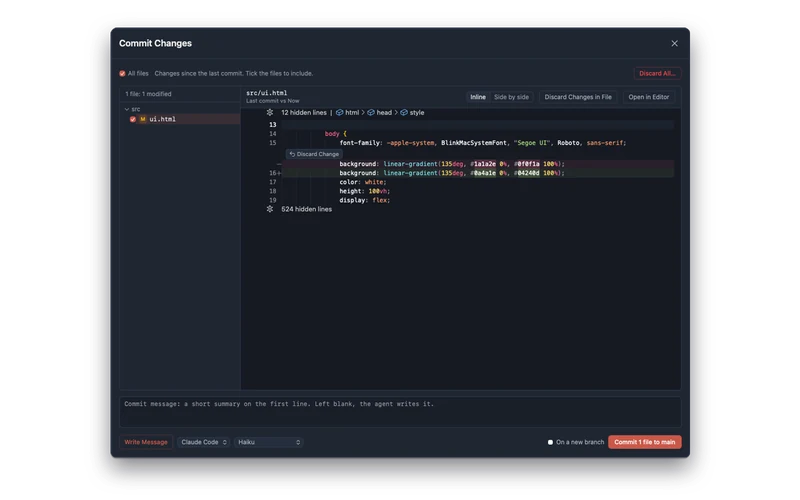
- See exactly what changed, file by file: restore a single file, or keep or discard one change, a file or everything
- Full git built in, no agent needed: commit, branch, merge, history, sync and GitHub. Versions never touch your branches
05 · START ANYWHERE
Start from a template, or bring your own.
TEMPLATES · EFFECT OR INSTRUMENT · YOUR CHOICE OF INTERFACE
| VST3 | CLAP | AU | AAX | |
|---|---|---|---|---|
| JUCE · C++ | Yes | Yes | Yes | SOON |
| iPlug2 · C++ | Yes | Yes | Yes | SOON |
| NIH-plug · Rust | Yes | Yes | No | No |
| Freqlab (a new framework, coming soon) | Redacted | Redacted | Redacted | Redacted |
Something of our own is on the way. Details soon.
Interfaces: a web-based UI, each framework’s own toolkit (JUCE Components, IGraphics, egui), or no custom UI. New JUCE projects start on JUCE 9 (or 8 if you prefer), and JUCE 7 projects import.
BRING WHAT YOU HAVE
- Import any plugin folder in place. Nothing is copied or moved
- Clone from a Git URL, submodules included, or pick from your GitHub repos
- Missing tools found and installed in one click: Xcode tools or Visual Studio Build Tools, Rust, CMake and Git
- Share a whole project as one .freqlab.zip, secrets stripped out
THEN SHIP IT
- Your DAWOne click sends a build to REAPER, Ableton Live, FL Studio, Logic Pro or any folder.
- The Freqlab StandardCloud builds are checked against it too, with results for each platform.
- CloudBuilds, signing and notarization for Mac and Windows, from inside the app, using build credits.
- DistroSend a finished build to your product and list it.
Start
tonight.
MACOS · WINDOWS
FREE WITH A FREQLAB ACCOUNT
SIGN IN TO DOWNLOAD
FREE WITH A FREQLAB ACCOUNT
SIGN IN TO DOWNLOAD
Studio’s free.